Monitor your network.
Own your data.
OpenNetMeter helps you understand exactly how your connection is being used, which apps are consuming data, and how your speeds change over time.
Why it matters
Understand your connection without the noise.
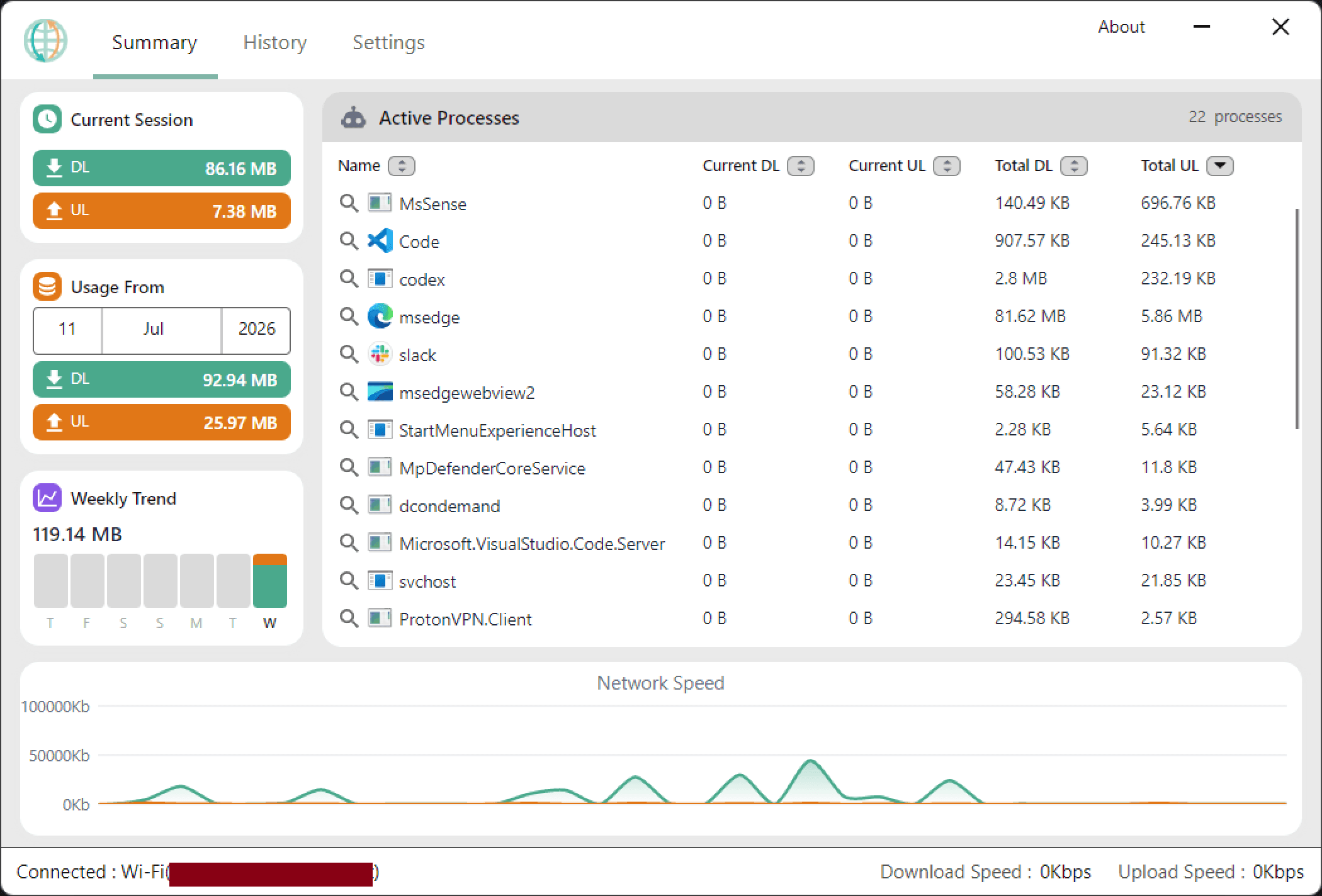
See what is using your bandwidth
Break down your network usage by app and process so you can spot spikes and stop hidden drains.
Track usage over time
Review daily and monthly trends to understand how your connection behaves across the week and month.
Keep the essentials in view
Pin a floating widget over your desktop and retain the real-time readout without interrupting your workflow.
Features
Built to stay useful, not complicated.
Per-process monitoring
See exactly which apps are consuming bandwidth in real time, with clean totals and clear rankings.
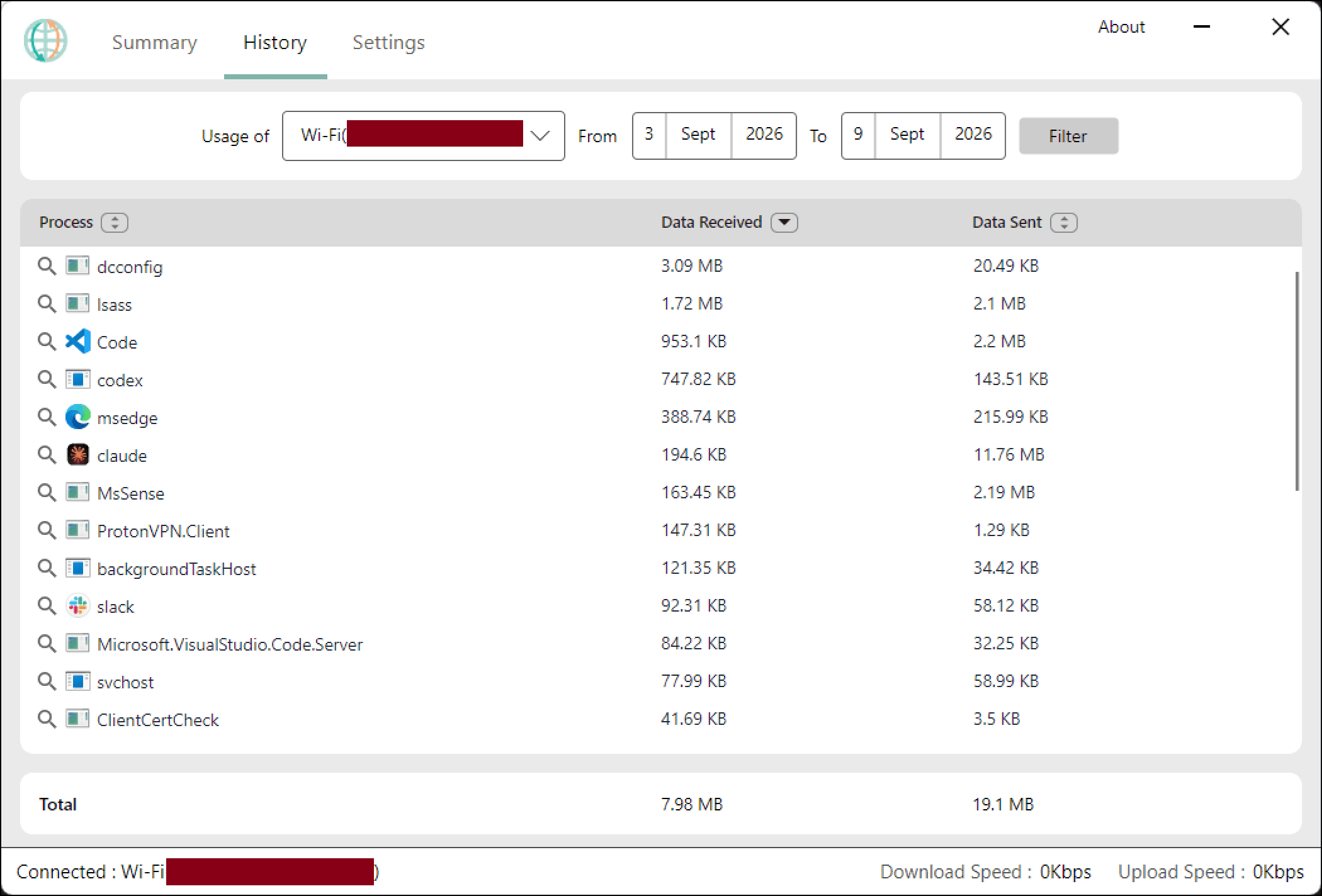
History and trends
Look back across sessions and compare data usage over time with date filters and reporting views.
Comfortable dark mode
Work late or stay focused with a clean low-light interface that keeps the app easy to read.
Built for everyday Windows use
Stay lightweight, simple, and transparent without the complexity of heavy enterprise monitoring tools.
Real usage insights
See the full story behind your download and upload activity.
- Spot which apps are consuming the most data at any given moment.
- Look back at your history to understand long-term usage patterns.
- Keep a floating mini-widget visible while you work without leaving the app.
Start today
Make your network usage visible.
Download OpenNetMeter and take control of your bandwidth with a simple, transparent, open-source tool made for Windows users.
Download OpenNetMeter